On-Device Storage Example
This example demonstrates how to use RADFish's storage system with IndexedDB for on-device data persistence. It showcases the Application and Collection patterns for managing structured data with schema validation.
Key RADFish Concepts
- Application Instance: Configured with stores and collections
- Schema-based Storage: Type-safe data validation
- Collection API: Consistent CRUD operations
- IndexedDB Integration: Automatic persistence with offline support
Use cases include:
- Offline on-device data storage (most cases)
- Local non-relational database (online or offline use)
- Form data persistence across sessions
- Structured data with validation
Preview
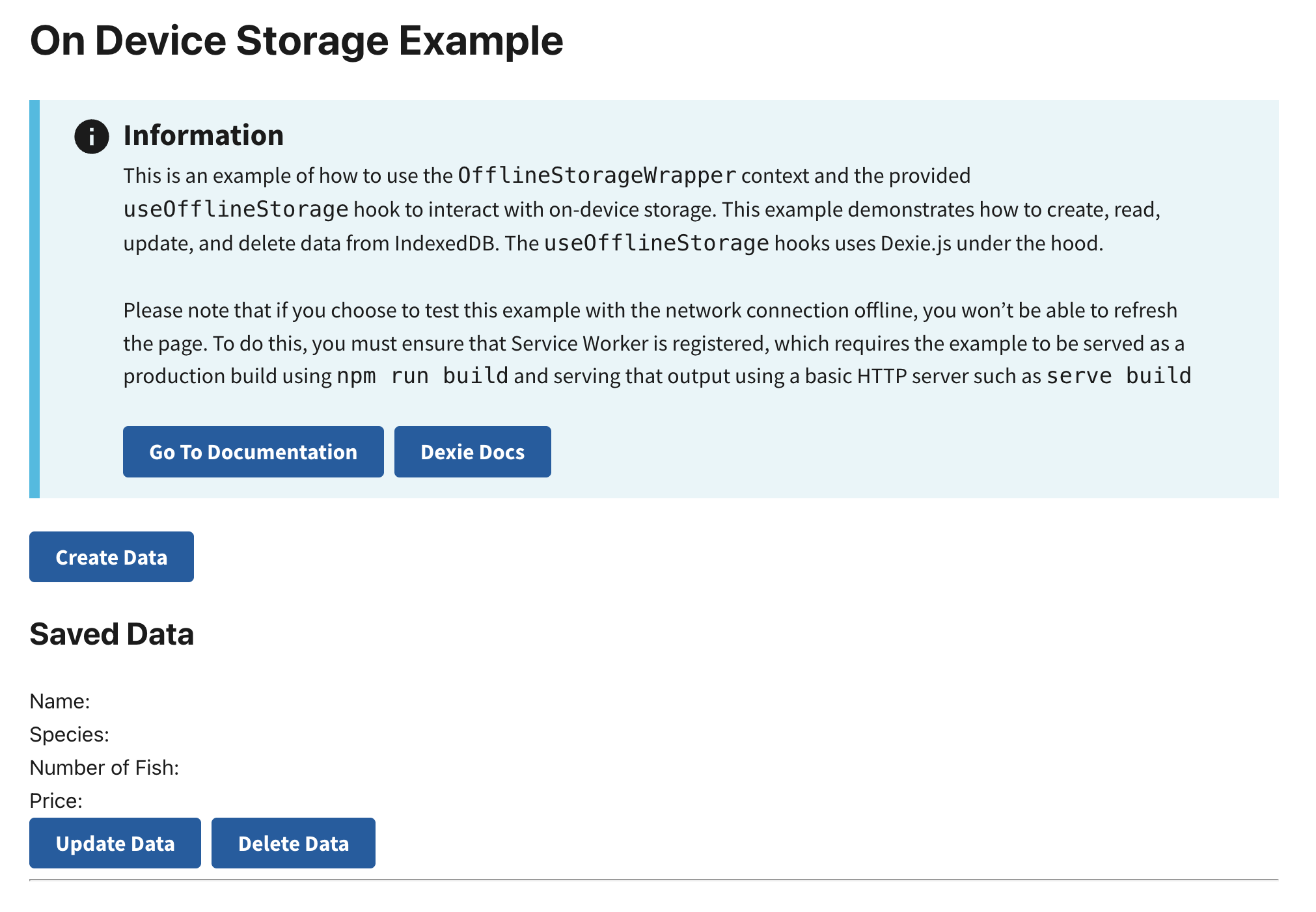
This example will render as shown in this screenshot:
Steps
1. Configure RADFish Application with Schema
In the index.jsx file, define your Application with stores and schemas:
import { Application } from "@nmfs-ocio/radfish";
import { IndexedDBConnector } from "@nmfs-ocio/radfish/storage";

const app = new Application({
  stores: {
    fishingData: {
      connector: new IndexedDBConnector("on-device-storage-app"),
      collections: {
        formData: {
          schema: {
            fields: {
              id: { type: "string", primaryKey: true },
              fullName: { type: "string" },
              email: { type: "string" },
              phoneNumber: { type: "string" },
              numberOfFish: { type: "number" },
              species: { type: "string" },
              computedPrice: { type: "number" },
              isDraft: { type: "boolean" },
            },
          },
        },
        species: {
          schema: {
            fields: {
              id: { type: "string", primaryKey: true },
              name: { type: "string" },
              price: { type: "number" },
            },
          },
        },
      },
    },
  },
});
Key schema concepts:
- Primary Key: Each collection must have a field marked as
primaryKey: true - Field Types: Ensures data validation (string, number, boolean)
- Multiple Collections: Organize related data in separate collections
2. Initialize and Provide the Application Instance
The Application waits for stores to be ready before rendering:
const root = ReactDOM.createRoot(document.getElementById("root"));

app.on("ready", () => {
  root.render(
    <ErrorBoundary>
      <React.StrictMode>
        <App application={app} />
      </React.StrictMode>
    </ErrorBoundary>,
  );
});
The App component wraps children with the Application context provider:
const App = ({ application }) => {
  return (
    <Application application={application}>
      <div className="App grid-container">
        <Router>
          <Routes>
            <Route path="/" element={<HomePage />} />
          </Routes>
        </Router>
      </div>
    </Application>
  );
};
Using Collections in Components
Access Collections with useApplication Hook
In any component within the Application context, access collections using the useApplication hook:
import { useApplication } from "@nmfs-ocio/react-radfish";

const HomePage = () => {
  const application = useApplication();
  const formDataCollection = application.stores.fishingData.getCollection("formData");

  // Use collection methods...
};
Collection API Methods
Collections provide the following methods for data operations:
Create
const newData = {
  id: crypto.randomUUID(),
  fullName: "John Doe",
  species: "Tuna",
  numberOfFish: 3,
  computedPrice: 150,
  isDraft: false
};

await formDataCollection.create(newData);
Find
// Find all records
const allData = await formDataCollection.find();

// Find with criteria
const draftRecords = await formDataCollection.find({ isDraft: true });
Update
const updatedData = {
  id: "existing-id",
  fullName: "Jane Doe",
  numberOfFish: 5,
  // ... other fields
};

await formDataCollection.update(updatedData);
Delete
// Delete by ID
await formDataCollection.delete({ id: "record-id" });
All methods are type-safe and validate data against the schema defined in your Application configuration.